How to post classifieds on Facebook: a practical guide
A clear, step-by-step explainer for readers in the UK on posting classifieds on Facebook, with checks, options and common pitfalls for Las Vegas ads context.

Posting classifieds on Facebook can connect readers with local buyers and sellers quickly. This explainer outlines the practical steps, from choosing the right page to drafting an effective listing, so you avoid common mistakes. It also covers alternatives and safety tips applicable to readers who want reliable, up-to-date information.
Facebook classifieds work best when you match your posting to a specific audience and clear details. This article focuses on plain-language instructions, common pitfalls, and what to check before you publish.
Readers who want to post classifieds in a responsible way will find concrete examples, cautions, and a quick checklist you can use now and adapt later.
- This guide updates readers on how to post classifieds on Facebook with clear steps and safety checks.
- It covers choosing the right place, drafting precise listings, and avoiding common mistakes.
- Readers will find practical tips, an optional box with common mistakes, and a table comparing posting options.
- The advice emphasises caution, accuracy, and local relevance for news readers.
Basics and setup
Choose the right place
Begin by identifying where within Facebook your ad should appear. Options include Marketplace, relevant groups, or a Page you manage. Pick the channel that your target buyers frequent to increase visibility. L1: post a classified ad in Las Vegas
- Choosing a broad audience and posting in the wrong place; fix by selecting a precise buyer group
- Using vague descriptions; fix by adding size, condition, and price
- Ignoring post rules on image size or allowed content; fix by following the guidelines
Be aware that some sections have stricter rules, such as item categories and price ranges. If you’re unsure, start with Marketplace, then cross-post to a local buy-and-sell group.
Avoid posting in casual forums where your listing may be ignored; relevance matters for engagement and trust.
- Select the primary destination for your ad (Marketplace or a local group)
- Check category and price fields and fill them accurately
- Review group rules to avoid removal or penalties
How to craft the listing

Clear title and description
Write a concise title that describes the item and its primary feature. The description should include condition, key specs, price, and how to contact you. L2: Las Vegas Newser
Structure the listing so readers can skim: a short opening line, followed by essential details in bullet form, then a practical call to action.
Avoid aggressive language or exaggerated claims; accuracy builds trust and speeds up responses.
- State condition (new, used, refurbished)
- List essential specs (size, model, measurements)
- Provide price and contact method
- Include at least one clear photo
Safety and rules to follow
Protect yourself and others
Do not share sensitive personal information in the listing. Use Facebook’s built-in messaging rather than giving phone numbers publicly. L3: promote your event in Las Vegas
Know scam indicators and avoid requests for unusual payment methods or personal details.
Report suspicious activity to Facebook and remove the listing if it seems compromised.
- Use a pay method you trust
- Keep transactions local and in public meetups when possible
- Verify the buyer’s intent before sharing delivery or pickup details
| Channel | What it suits | Best practice |
|---|---|---|
| Marketplace | General consumer items | Use structured details and photos |
| Groups | Local buyers and hobbyists | Post in relevant, rule-compliant groups |
| Page posts | Reach followers | Include concise call to action |
Cross-posting to a local events page or classifieds hub may broaden reach without extra cost.
Alternatives and options

Beyond Marketplace
Some advertisers find better results by posting in small, hobbyist groups or niche communities. These spaces can yield higher engagement for specific items. L4: business directory in Las Vegas
Cross-posting to a local events page or classifieds hub may broaden reach without extra cost.
Consider paid boosts if you need faster visibility and have a clear target audience.
- Join relevant local groups
- Cross-post to a nearby events page
- Use boosts for time-bound posts
- Monitor responses and adapt quickly
Posting etiquette and reviews
Crafting respectful listings
Clear, honest descriptions reduce miscommunications and returns. Mention what is being sold, its condition, and any defects without exaggeration. Use neutral language to set expectations and invite questions. obituaries in Las Vegas will appear in local listings for those researching community notices.
- Be precise about item condition and origin.
- State pickup or delivery options clearly.
- Avoid sensational language that could mislead.
- Mention safety considerations in buyer contacts.
Moderation matters: respond promptly to inquiries and keep tone professional, whether the item is used furniture or a service. A courteous reply can prevent disputes and build trust.
When reviews accompany a listing, highlight accurate facts and recent interactions. Avoid posting misleading claims and correct errors quickly to maintain reliability.
- Keep titles accurate
- Include location and pickup details
- Set clear prices and terms
- Respond within 24 hours
- Document exchanges if possible
Managing listings over time
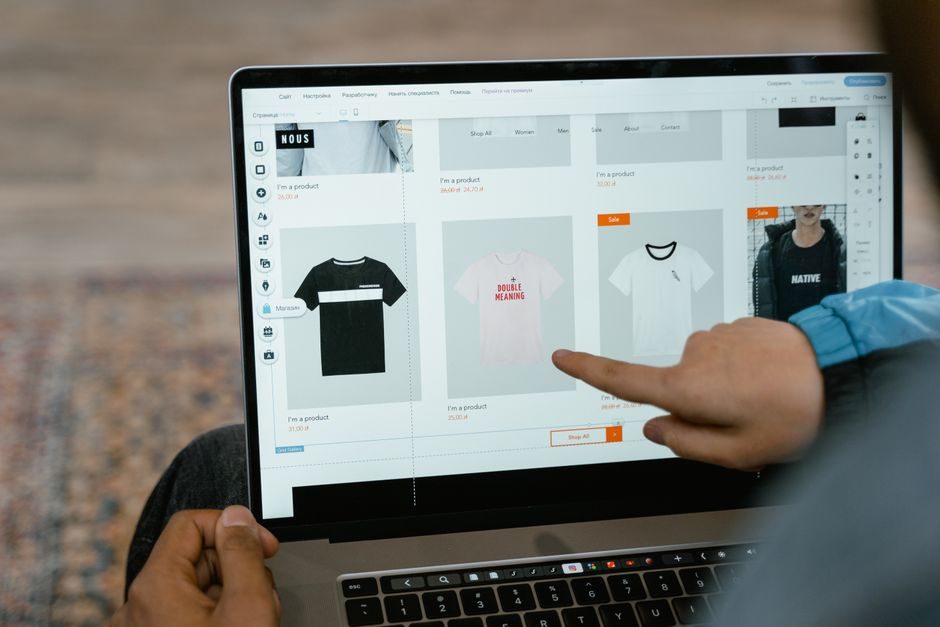
Updating your advert status
Regular updates help keep listings visible and relevant. Refresh descriptions to reflect changes in price, condition, or availability. A current listing reduces inquiries about sold items.
Track inquiries and mark items as sold promptly to avoid confusion. Close the loop with buyers by confirming pickup details or arranging payment methods. This creates a smoother experience for both sides.
Periodically review photos for clarity or lighting, replacing blurry or outdated images. High-quality visuals make a difference in attracting serious buyers and preventing misinterpretations.
- Refresh listings weekly
- Respond to updates quickly
- Retake photos if needed
- Close listings when sold
- Archive duplicates
Legal and privacy considerations
Know your local rules
Online classifieds are subject to local consumer laws and platform policies. Familiarise yourself with rules about consumer rights, refunds, and listing verification. Knowing these helps you avoid violations that could lead to fines or account limits.
- ☐ Know your rights and obligations.
- ☐ Document communications for disputes.
- ☐ Avoid sharing sensitive data publicly.
- ☐ Follow platform rules.
Understand data privacy when collecting contact details. Share minimal information publicly and redirect to private messages for sensitive data. Keep records of transactions in case of disputes.
Be aware of non-discriminatory practices in listings. Do not exclude buyers based on protected characteristics and avoid language that could be interpreted as biased.
- Check platform terms
- Limit personal data
- Keep records
- Respect changes in law
- Avoid discriminatory phrasing
What readers should do next

Practical next steps for readers
Review your current habits for posting classified ads and identify gaps. If you rarely post, start with a small, well-described item to test the process. A controlled approach reduces stress and mistakes.
- Audit current ads for accuracy.
- Create a posting routine.
- Set aside time for replies.
- Keep a privacy checklist handy.
Plan a short checklist for each listing: item condition, price, location, pickup method, and contact policy. Use this to streamline your workflow and prevent missing details.
Consider a short privacy and safety guide for readers to reference before posting. A consistent approach protects both seller and buyer and keeps transactions straightforward.
- Create a simple checklist
- Test with a small item
- Keep safety in mind
- Review platform policies
- Prepare contact boundaries
Frequently asked questions
Can I post in more than one category at once?Yes, but keep each listing focused on a single item and avoid duplication. Cross-listing can confuse buyers and waste time if price or condition isn’t aligned. Use one primary listing and consider a related accessory only if it adds value.
How do I handle scam attempts?Ignore unsolicited offers that seem too good to be true and avoid sharing payment details early. Report suspicious activity to the platform and block the user if necessary. Clear, cautious communication protects both parties.
What information should be included in a photo set?Take clear, well-lit images from multiple angles. Include a photo of any flaws and a shot that shows the item in use if appropriate. This helps buyers assess condition without in-person inspection.
Is there a best time to post for visibility?Timing varies by audience, but consistent posting tends to keep listings active. Post during times when users are most likely online in your region and update listings to stay in rotation.
Readers should apply a simple, repeatable posting routine to keep classifieds accurate and credible. Start by auditing existing listings and drafting a short checklist for each new item. A disciplined approach saves time and reduces errors.
If you want a practical next step, prepare a one-page privacy and safety guide for readers and keep it handy when posting. This keeps information safe and interactions straightforward.

Add Glasgow News as a preferred source on Google


